Steal my 10 Best Nano Banana 2 prompts
Jul 17, 2026Copy them, paste them, done.
10 prompts I use for interior design. Copy them, paste them, done.
1. Create any interior from a reference photo
Prompt:
a minimalist living room with iconic design furniture. Use image 1 only for color palette, lighting mood and the style of interior. Do not copy any recognizable furniture from image 1.
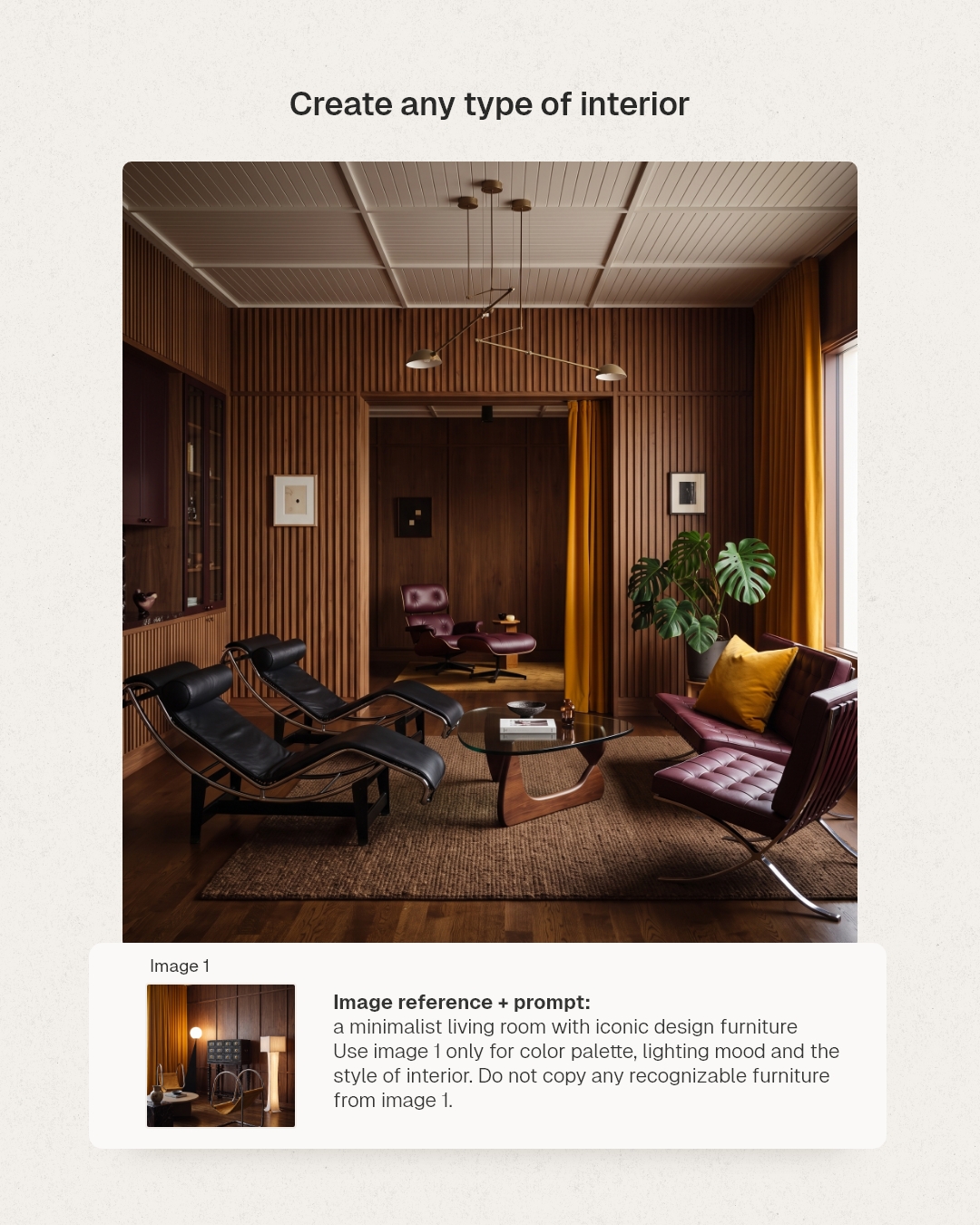
That last sentence does the work.
The second half is the important half. Without it, the AI just copies the reference photo back at you.
You're telling it what to borrow. And what to leave behind.
2. Empty a room
Prompt:
Remove all furniture, decor, rugs, curtains, and movable objects from this room, leaving it completely empty. Preserve the walls, floor, ceiling, windows, doors, trim, lighting fixtures, and any built-in architectural elements exactly as they are.
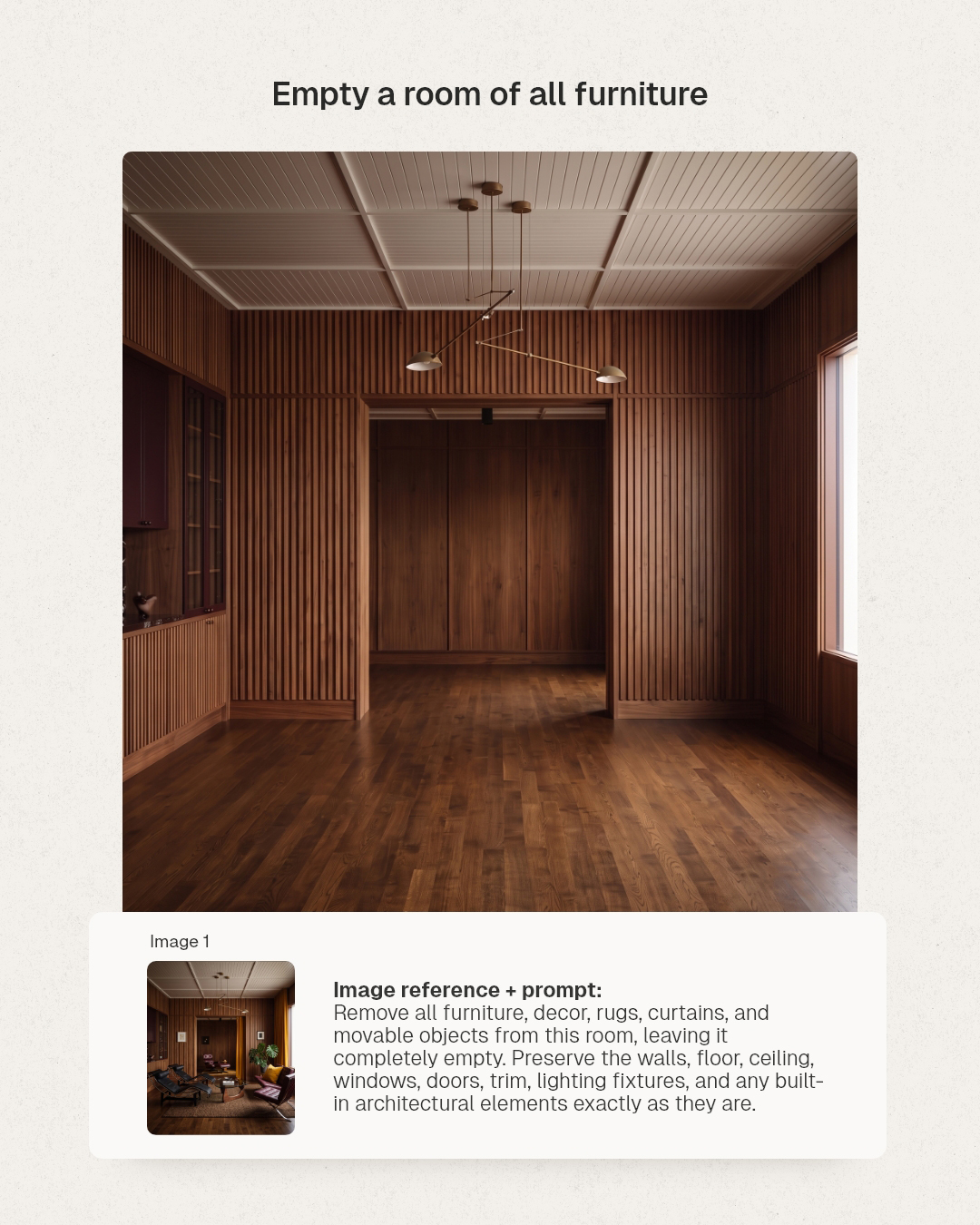
Your blank canvas.
List what goes and list what stays, item by item. Be boring and specific.
The long list is not wasted words, it's the reason the ceiling doesn't quietly change shape on you.
3. Change the furniture
Prompt:
Replace all the furniture in image 1 with the furniture shown in image 2.
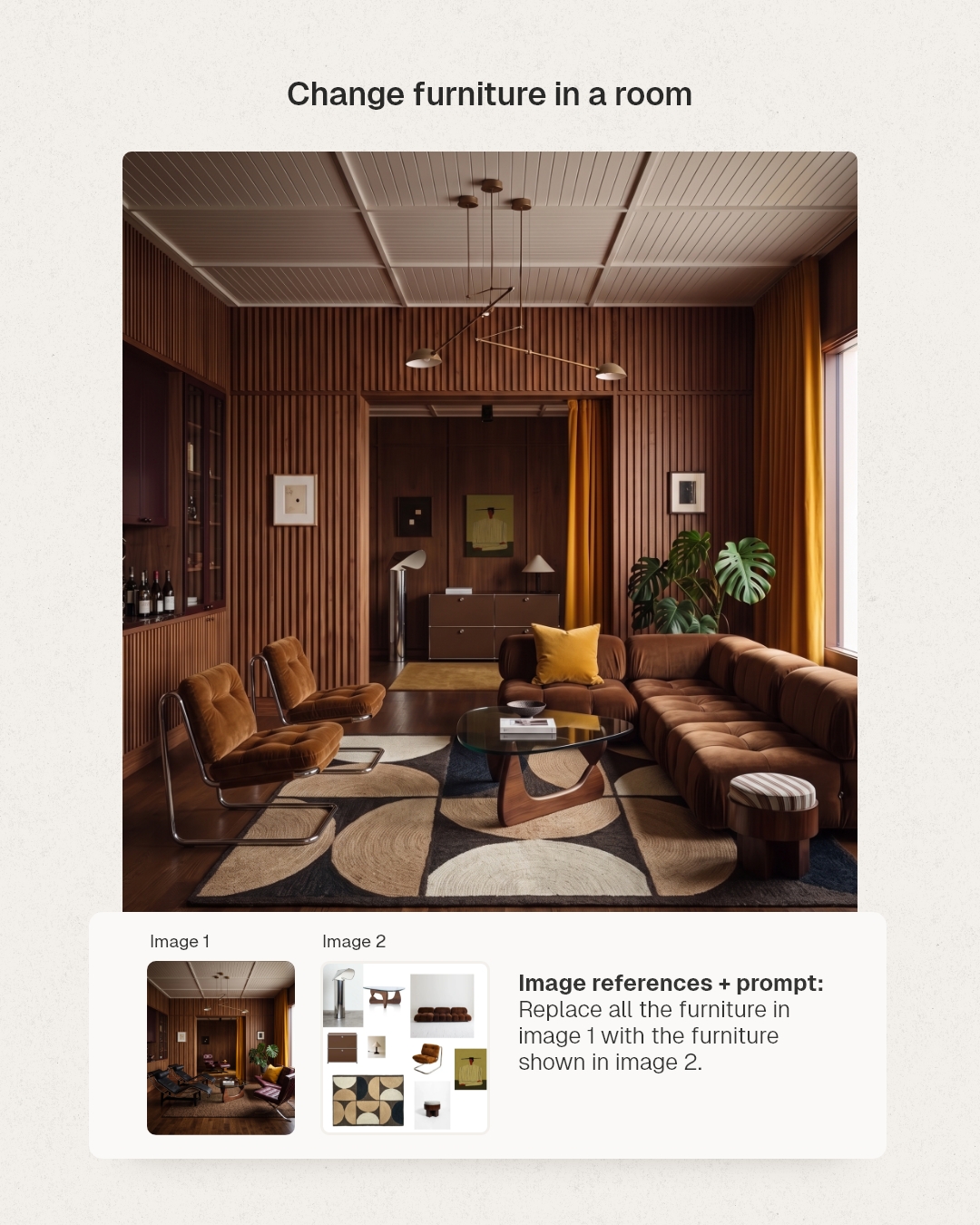
Two images: your room, and a moodboard of pieces you like.
9 words of instruction and the room gets refurnished.
This used to be 3 hours in 3DSMax.
4. Put a moodboard in a room
Prompt:
In a minimalist living room, add all products and furniture shown on image 1. Add also other objects to make the space feels alive.
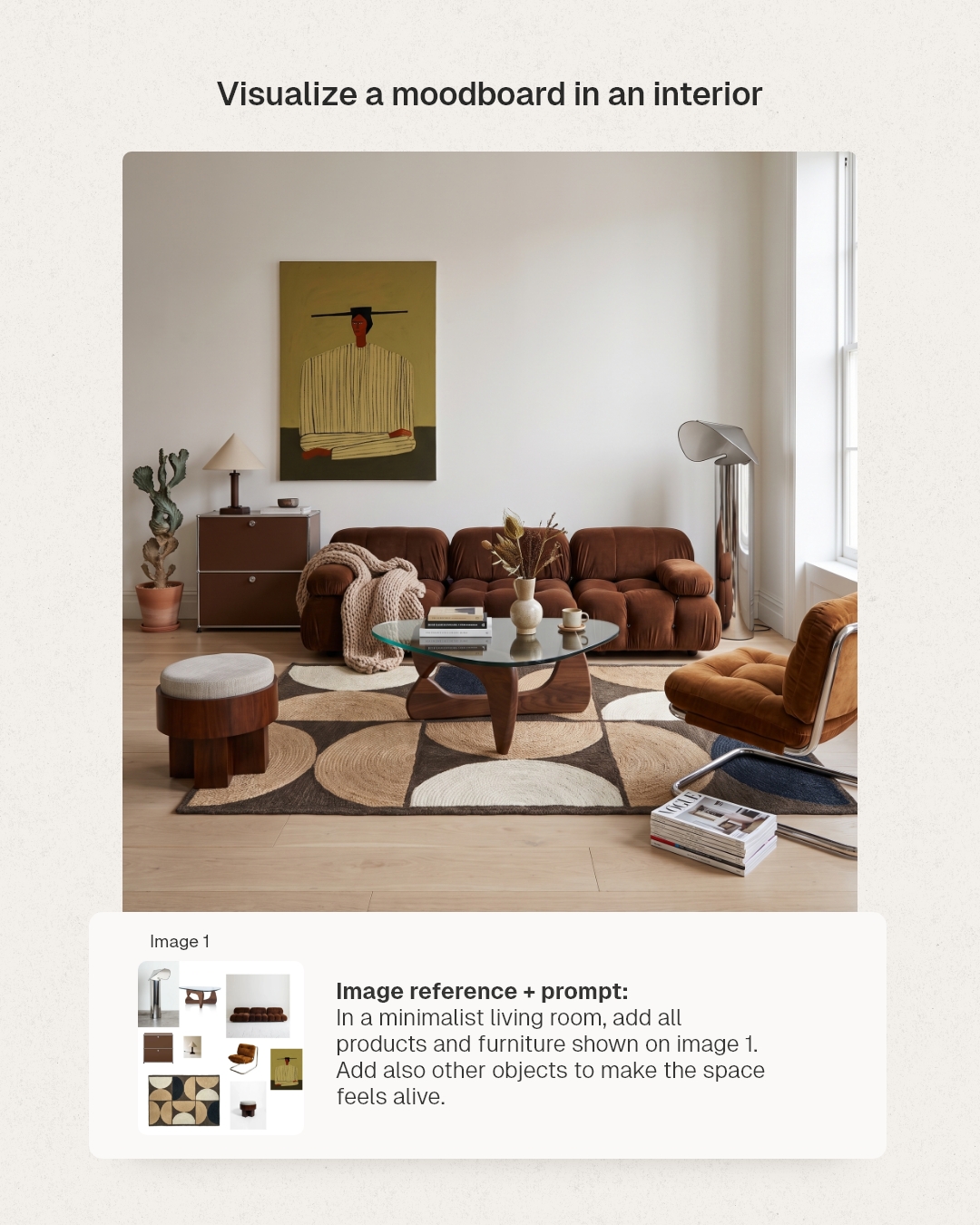
You build the room around the furniture.
That last sentence is what puts magazines on the floor and a blanket over the arm of the couch.
Empty rooms look like listings. Lived-in rooms sell.
5. AI render from any 3D software
Prompt:
Create a photorealistic photograph of image 1. Keep the exact point of view and the exact proportions. Do not alter the building shape, architectural details, or the materials shown in this image. Match every material from image 1 exactly.
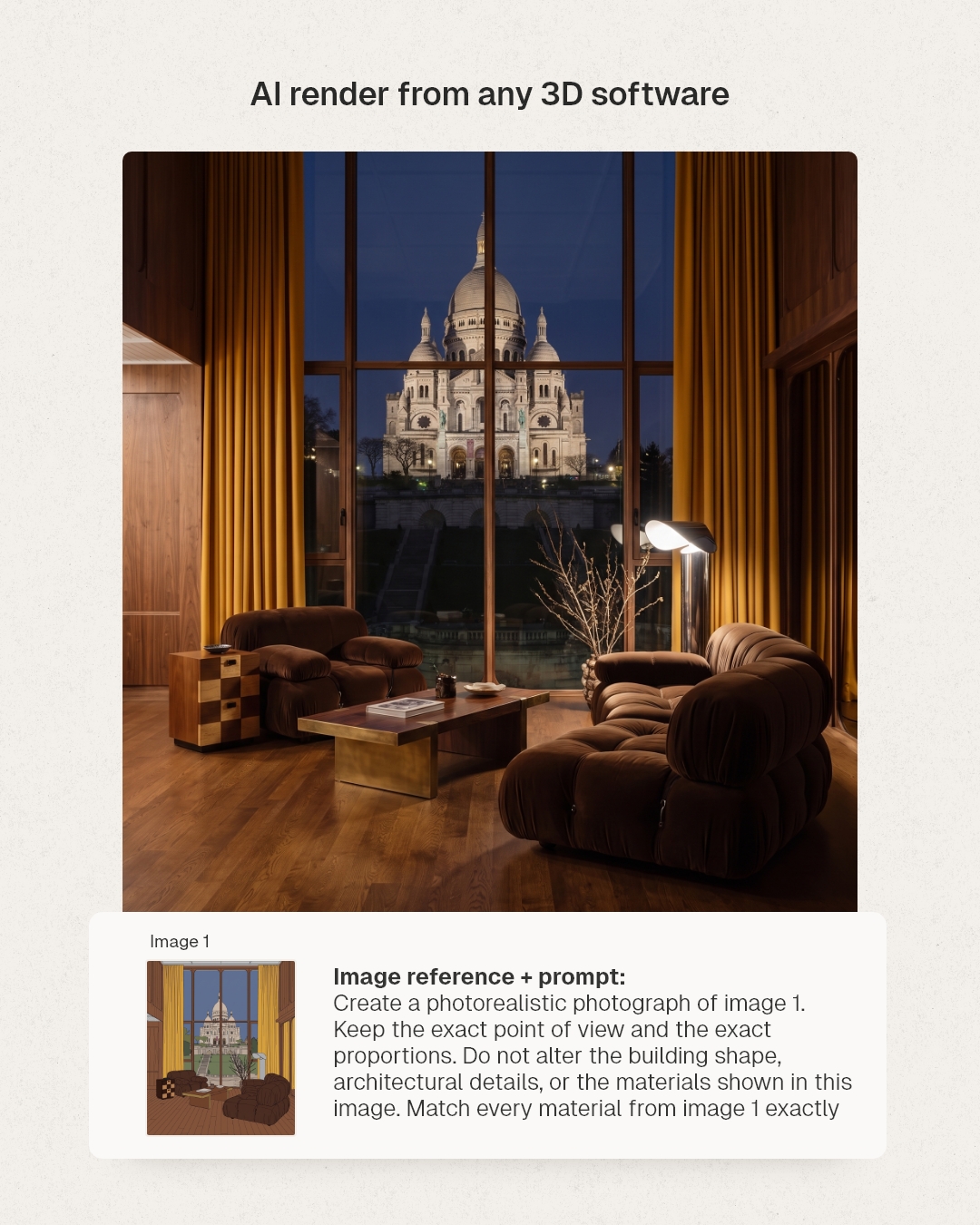
Feed it a rough SketchUp or Blender view.
Get back a photo.
Your geometry is correct already, you only want the AI to add light and texture, not opinions.
6. Add people
Prompt:
In image 1, add the 2 people shown on image 2. Make a zoom so we can see their faces.
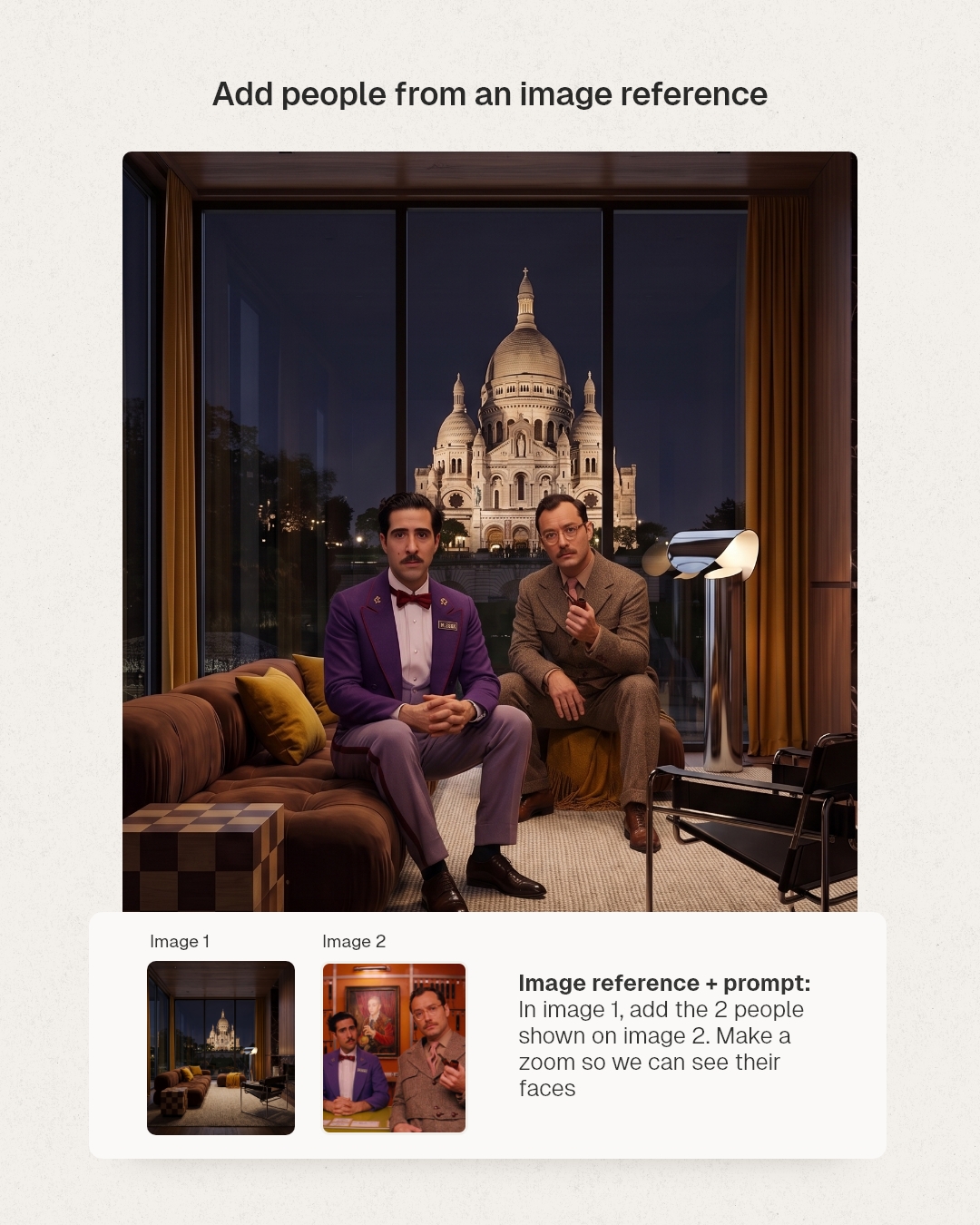
Put a person in the frame and the render becomes a place.
7. Turn 1 render into 4 shots
Prompt:
Create a 4-image grid from this image.
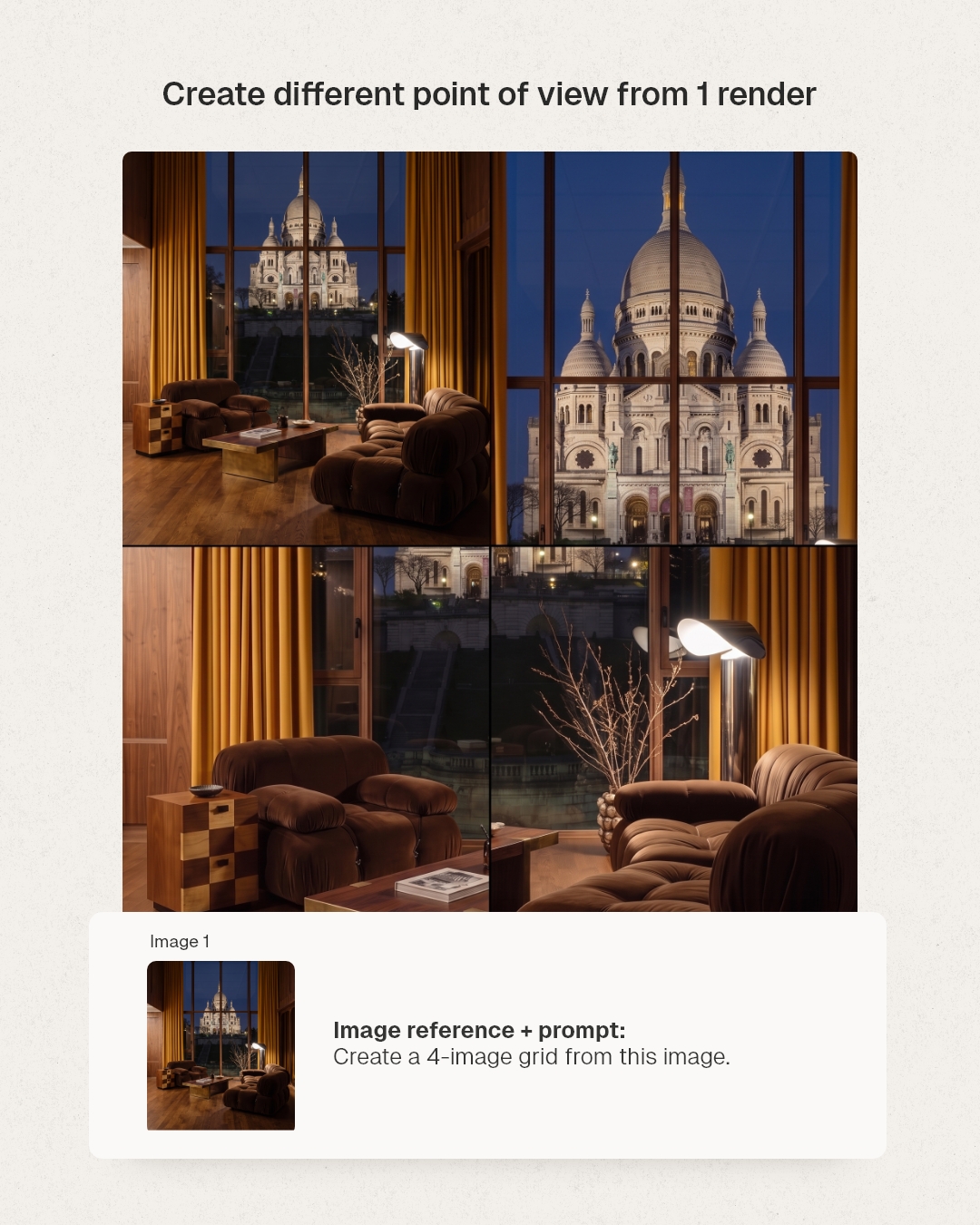
One render becomes a full set of shots (and you can upscale each of them up to 4k).
8. Change the light
Prompt:
make this interior at sunset
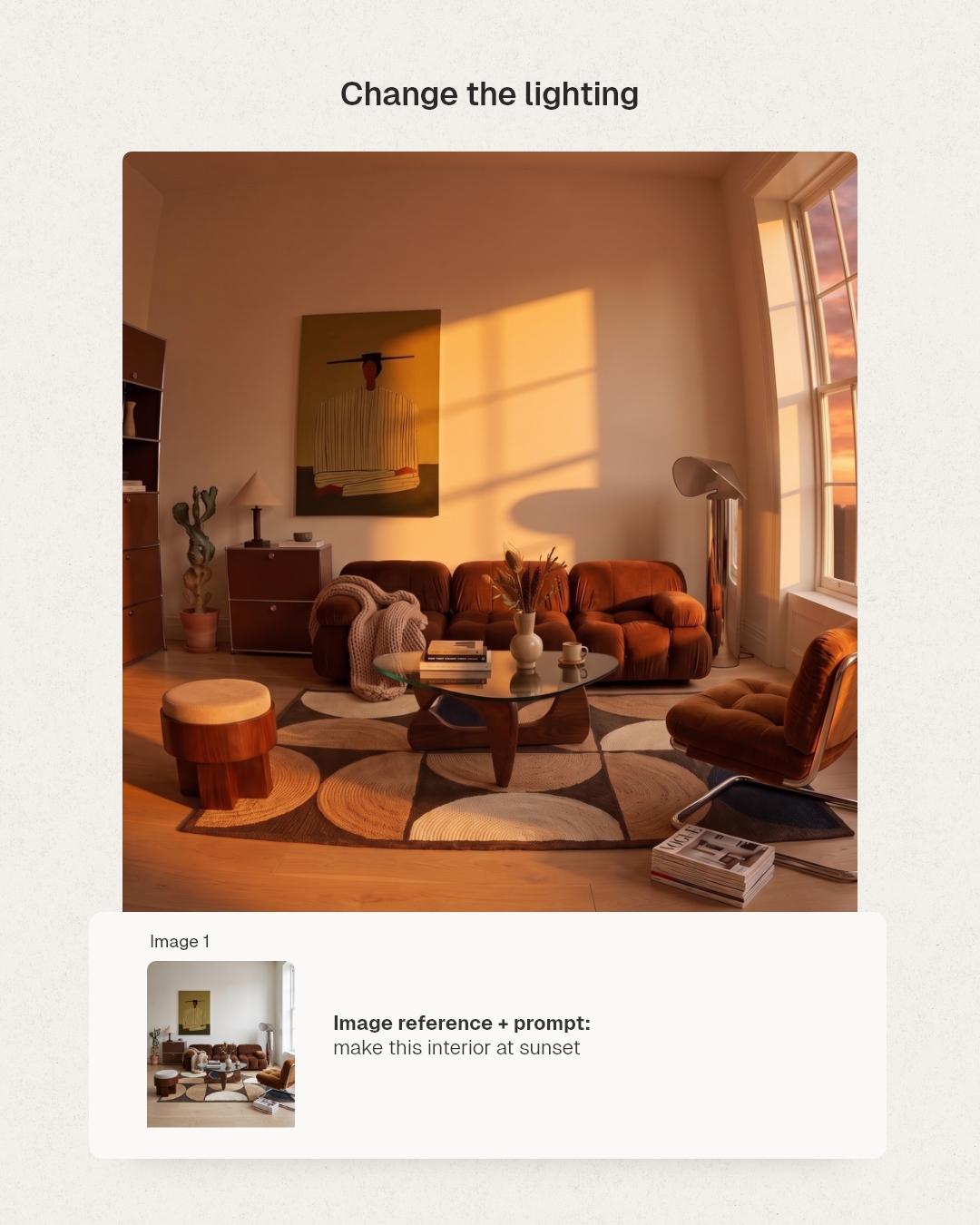
Try it with "at night," "on an overcast morning," "with hard midday sun."
Lighting is the cheapest way to change a mood.
9. Fisheye (or tilt-shift, or wide angle)
Prompt:
Apply a fisheye lens distortion to this image, curving lines outward from the center. Keep it as a full rectangular frame with no black vignette or dark corners. Naturally fill in any edges affected by the distortion, preserving original lighting and detail.
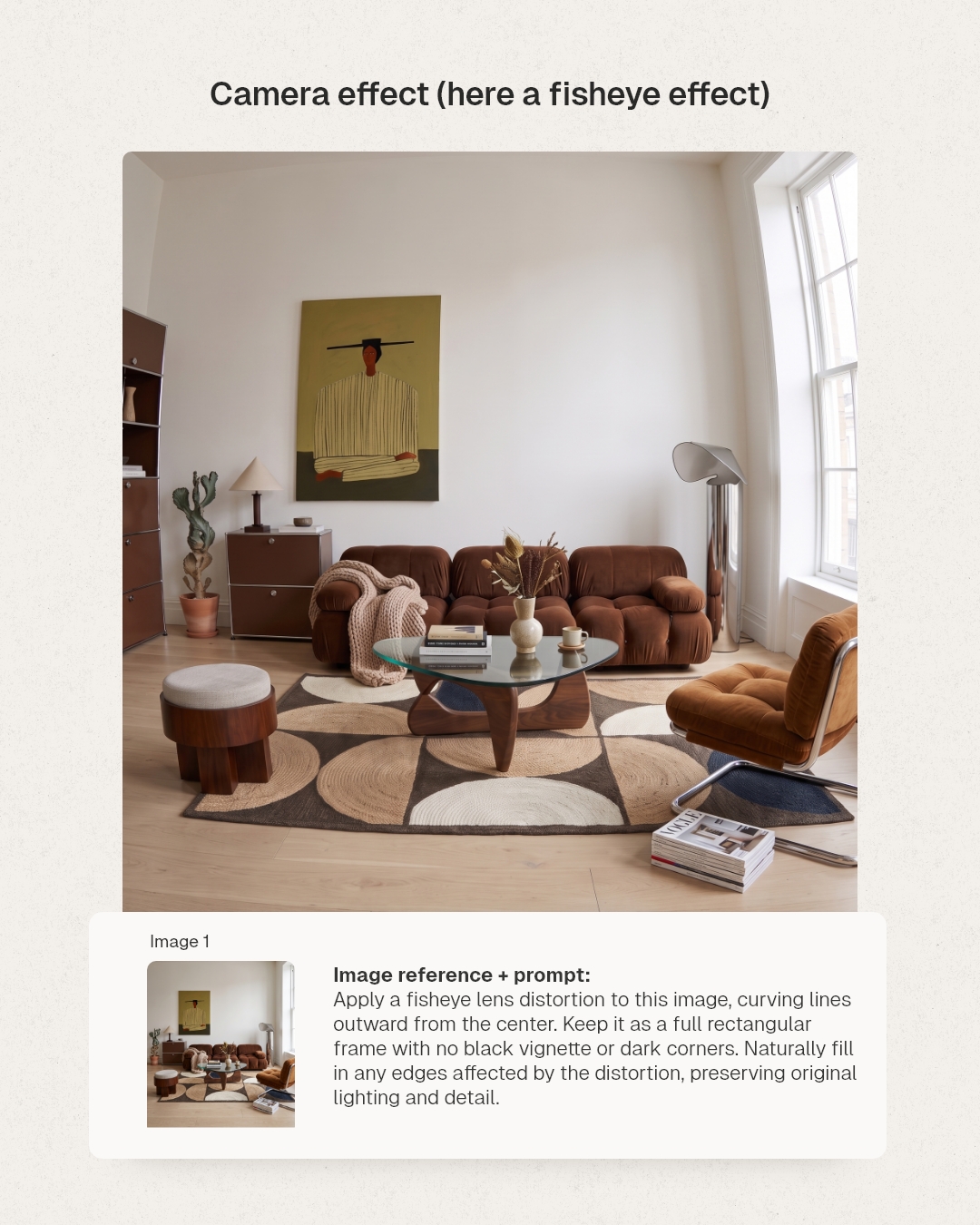
Swap "fisheye" for polaroid, wide angle, or anything else, and keep the rest of the sentence.
10. Upscale to 4K
Prompt:
Upscale this image in 4K, 8K ultra detailed photography.
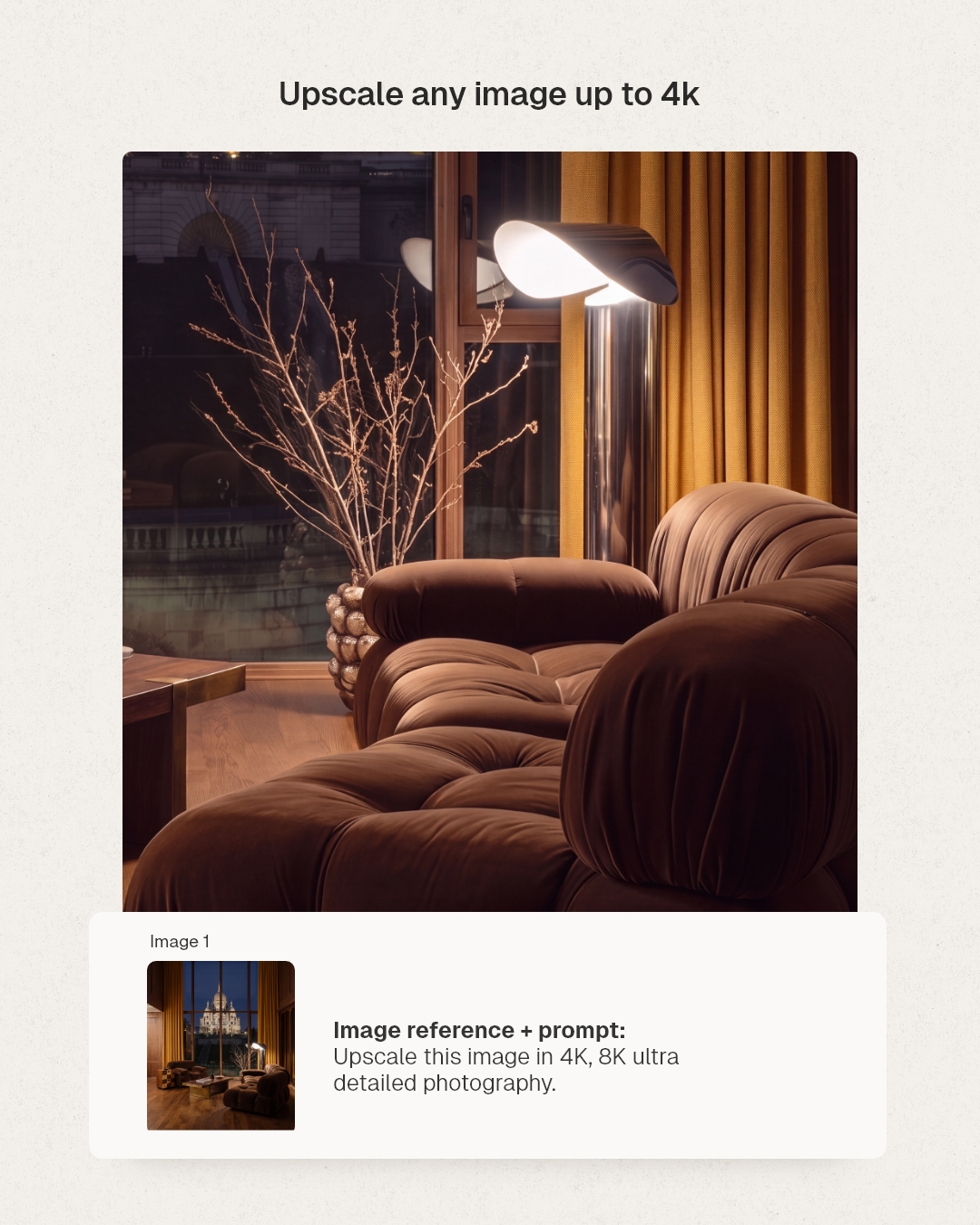
Run it on your final pick. The fabric gets a weave. The wood gets a grain. The metal gets a reflection.
And if you want all my AI workflows and prompts, from first render to final client image, I teach it in my masterclass here:
Whenever you're ready, there is a way I can help you:
1. My Masterclass AI for interior designers to learn how to create beautiful designs and grow an audience on social media.
I read everything on AI so you don't have to.
Join over +20k readers of 'AI for Designers' to receive prompts, strategies, and resources that will speed up your design workflow with AI.
I will never spam or sell your info. For any reason.
Author