Your mood board is making the client do your job
Jun 22, 2026Give them a room they can stand in instead
You spend hours sourcing the right pieces. A Mario Sabot lounge chair or a Chiara floor lamp.
Then you drop it all into a grid of cut-outs on a white page and send it over (no bueno).
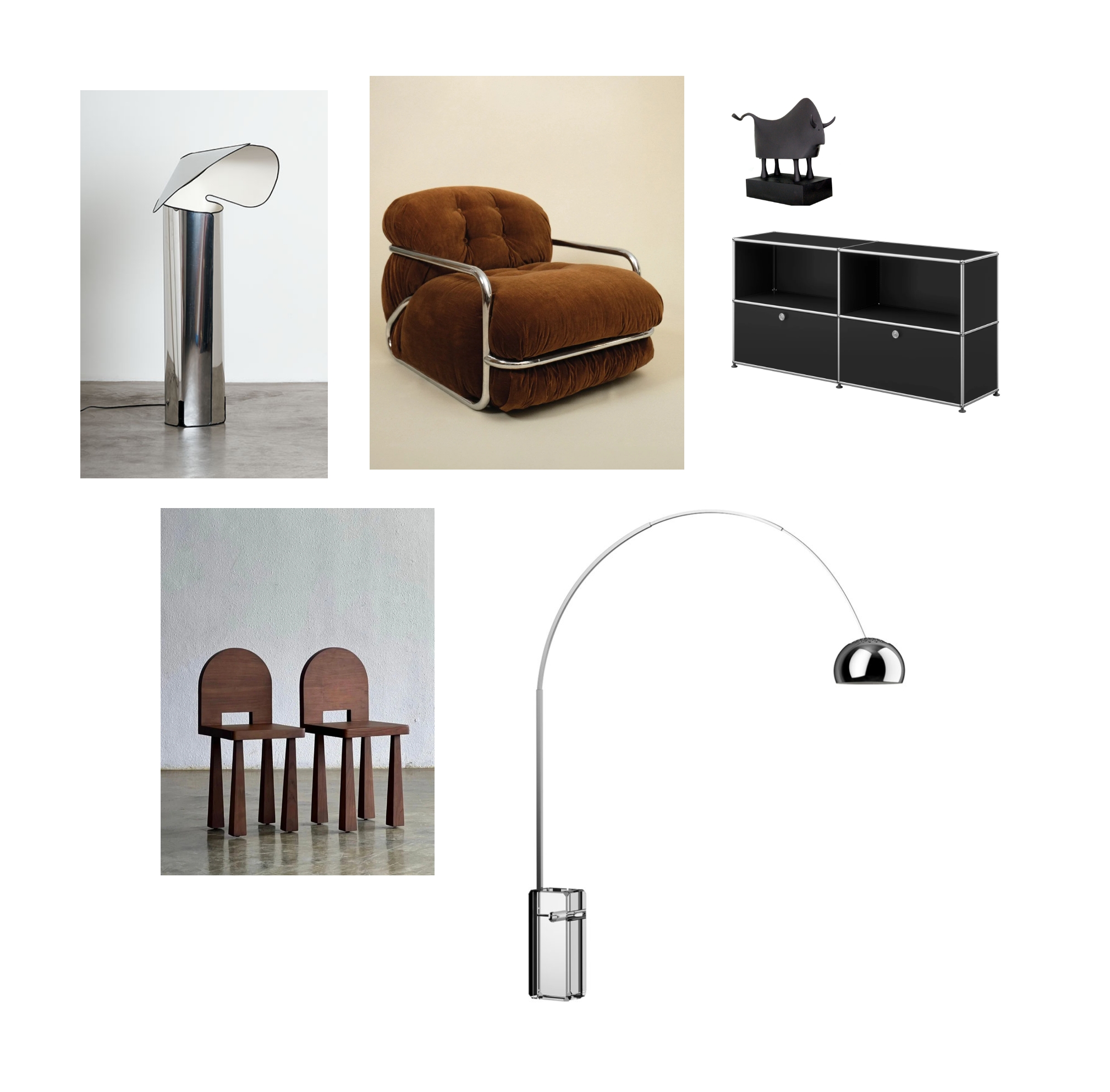
The client nods. Says it looks lovely. Then asks what the room will actually look like.
And there's your problem.
A grid of cut-outs hands the client a job you got paid to do: see the finished room. So you've handed the vision to the one person who can't picture it.
That gap between your taste and their imagination is where deals stall and revision emails pile up.
AI closes it in 2 passes.
Level 1: clean the product, kill the cut-out
Take your sourced images. Drop each piece onto the same white background. Use Nano Banana 2 model with the following prompt:
" Place all objects from the moodboard together on a plain pure white studio background, arranged naturally as if casually set up by a stylist for an editorial shoot. "
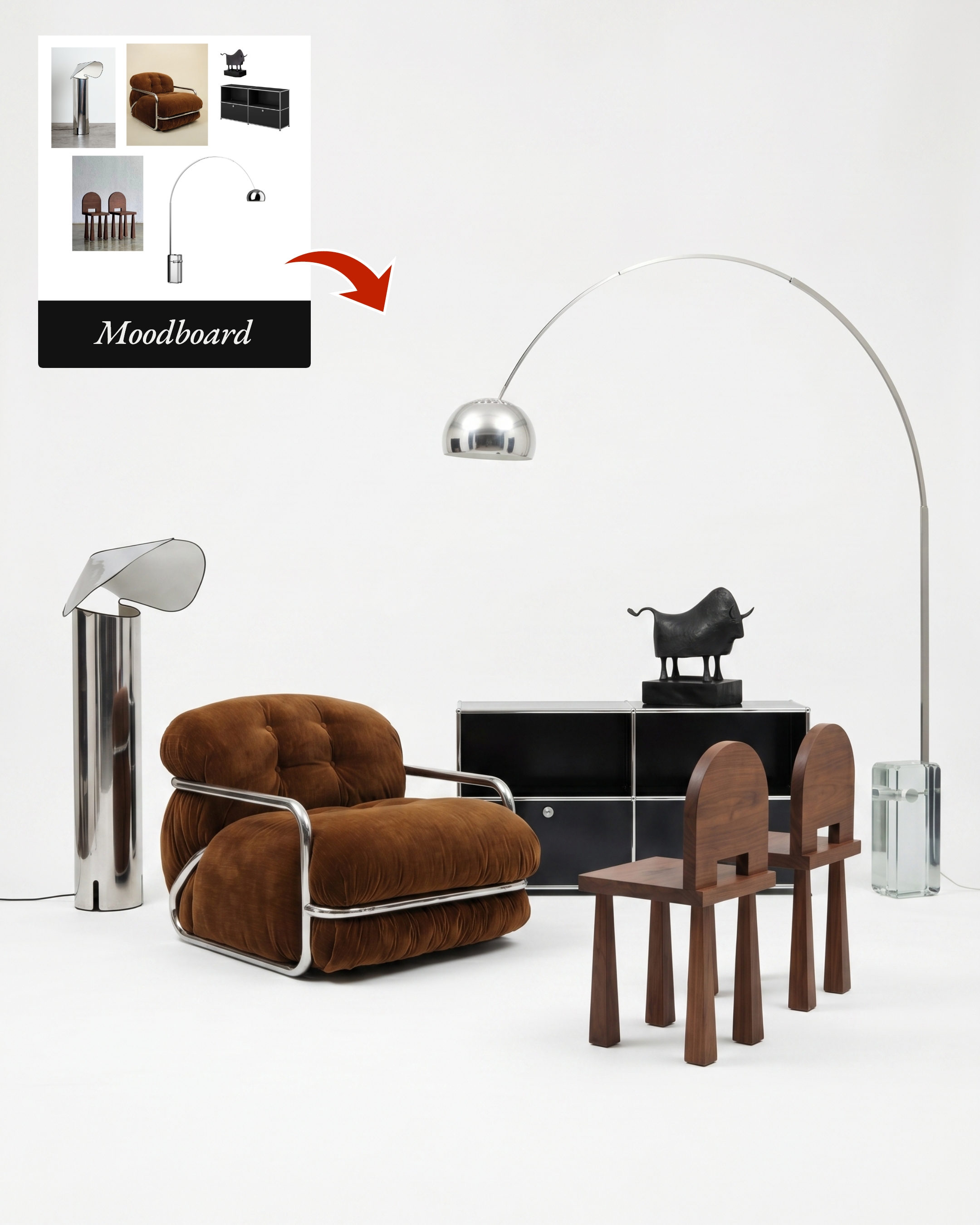
Now it reads like a collection instead of a folder of screenshots. Cohesive. More premium too.
Level 2: drop it into the client's actual room
This pass does the selling.
Ask Claude to generate a description of your client's ideal interior.
Have a Pinterest photo you love? That works too. Upload it along with this prompt:
" Describe precisely this interior.
Describe only: walls, floor, ceiling, architectural style, structural openings (doors/windows — the opening itself, not coverings), materials, finishes and colors. Never mention: furniture, lighting, decor, appliances, plants, art, people, or any movable object. "
Then render your furniture inside that room.
Example here:
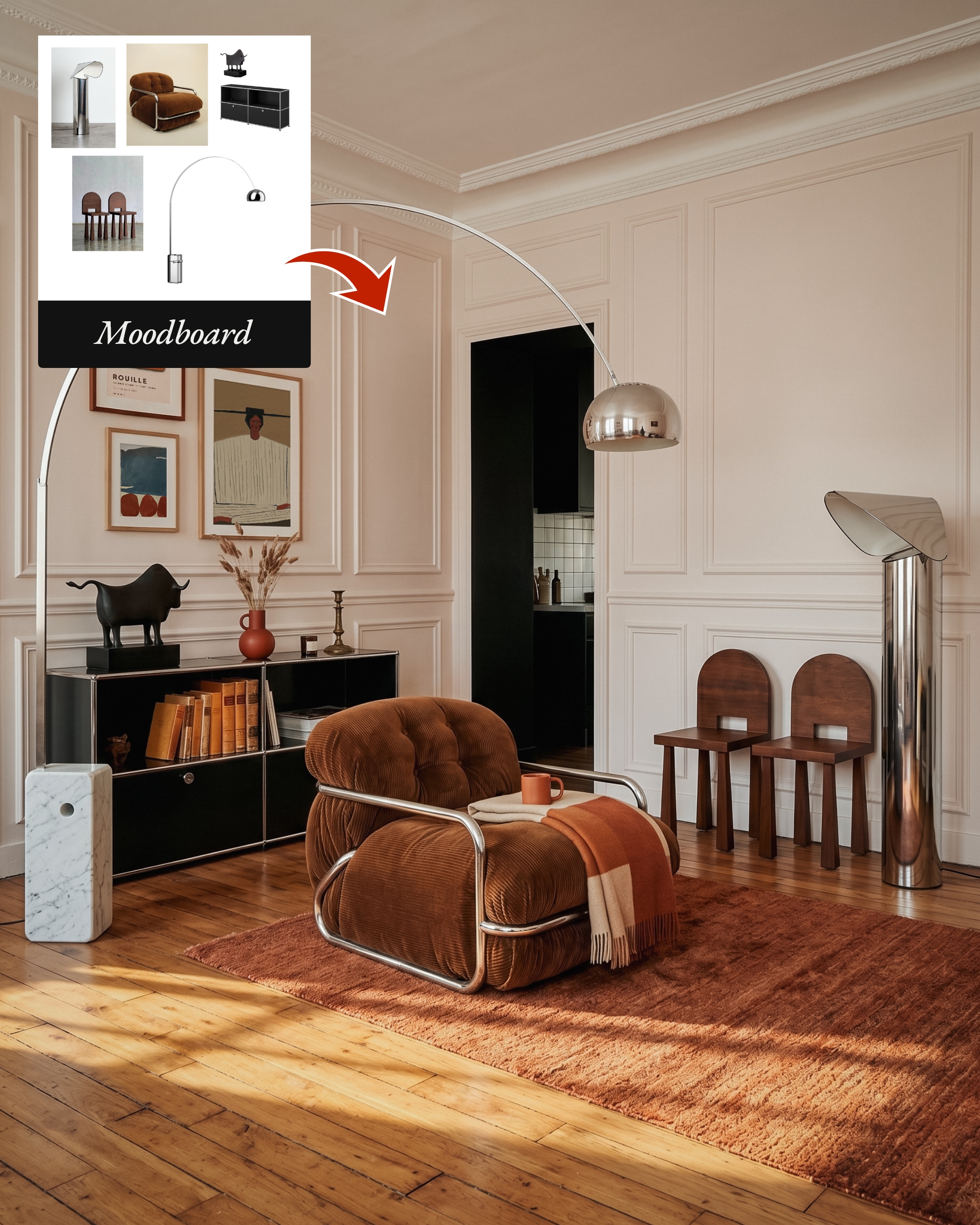
How I did it:
1) I found a photo I like on Pinterest
2) I asked Claude to describe it
3) I used Nano Banana 2 with the following prompt + the cut-out mood board:
"In a minimalist living room, add all products and furniture shown on image 1. Add also other objects to make the space feels alive.
The room has a distinctly European apartment character, likely Parisian, with classic architectural bones.
Walls & Molding
Soft blush-white walls with elegant panel molding and crisp crown molding at the ceiling line — understated but refined. The walls feel warm rather than stark white, almost a pale clay or linen tone.
Ceiling
High, flat, and unadorned except for the molding perimeter — gives the space a sense of generous vertical volume.
Floors
Wide-plank honey-toned hardwood, glowing warmly in the afternoon light, with visible grain and a slightly worn patina that reads as lived-in and authentic.
Light
Beautifully directional and golden — natural sunlight enters at a low angle, casting long warm pools across the floor and creating soft shadows against the walls. The atmosphere is late afternoon, intimate and unhurried.
Color Palette
An entirely warm, earthy spectrum — blush, terracotta, sienna, ochre, rust, and cream. Reds appear as bright punctuation. Nothing is cool-toned or stark.
Openings
A doorway cuts dramatically into the wall, revealing deep shadow beyond and a sliver of a white-tiled kitchen — the darkness of the passage creates strong chiaroscuro contrast against the pale walls.
Overall Feeling
Soft, layered, and slightly faded — like a room that has accumulated warmth and beauty over many years rather than being assembled all at once."
An other example:
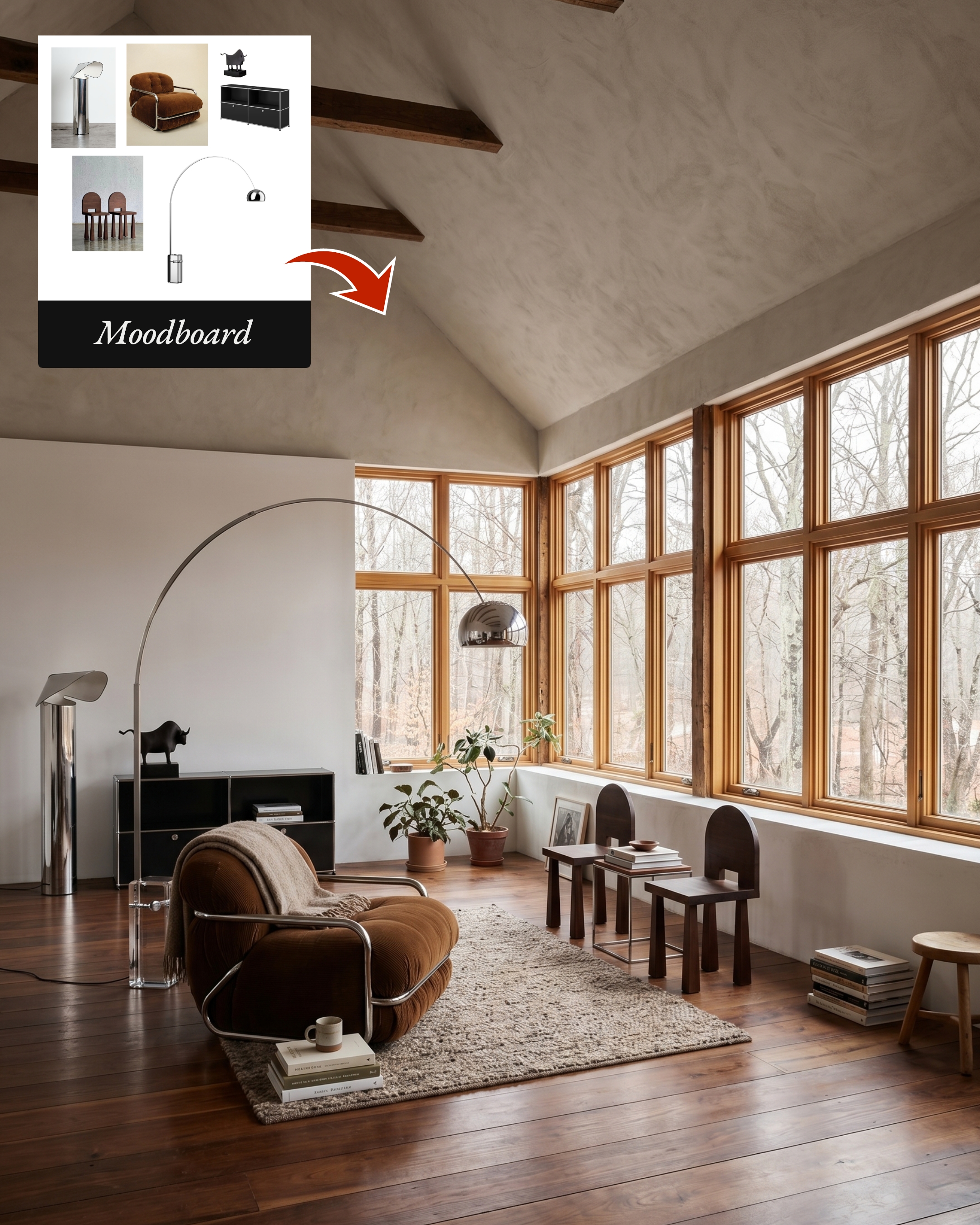
Now they're standing in it.
This is also where it falls apart for a lot of designers.
A vague prompt gives you a generic room.
A structured prompt gives you their room. The kind that pins down the architecture, the molding, the flooring, the quality of the light, the whole palette.
That's the line between a usable render and AI slop.
Sébastien
Whenever you're ready, there is a way I can help you:
1. My Masterclass AI for interior designers to learn how to create beautiful designs and grow an audience on social media.
I read everything on AI so you don't have to.
Join over +20k readers of 'AI for Designers' to receive prompts, strategies, and resources that will speed up your design workflow with AI.
I will never spam or sell your info. For any reason.
Author